
¿Cómo hacer un Slider o Carousel(Carrusel) en WordPress?
En el presente Instructivo se mostrará el...

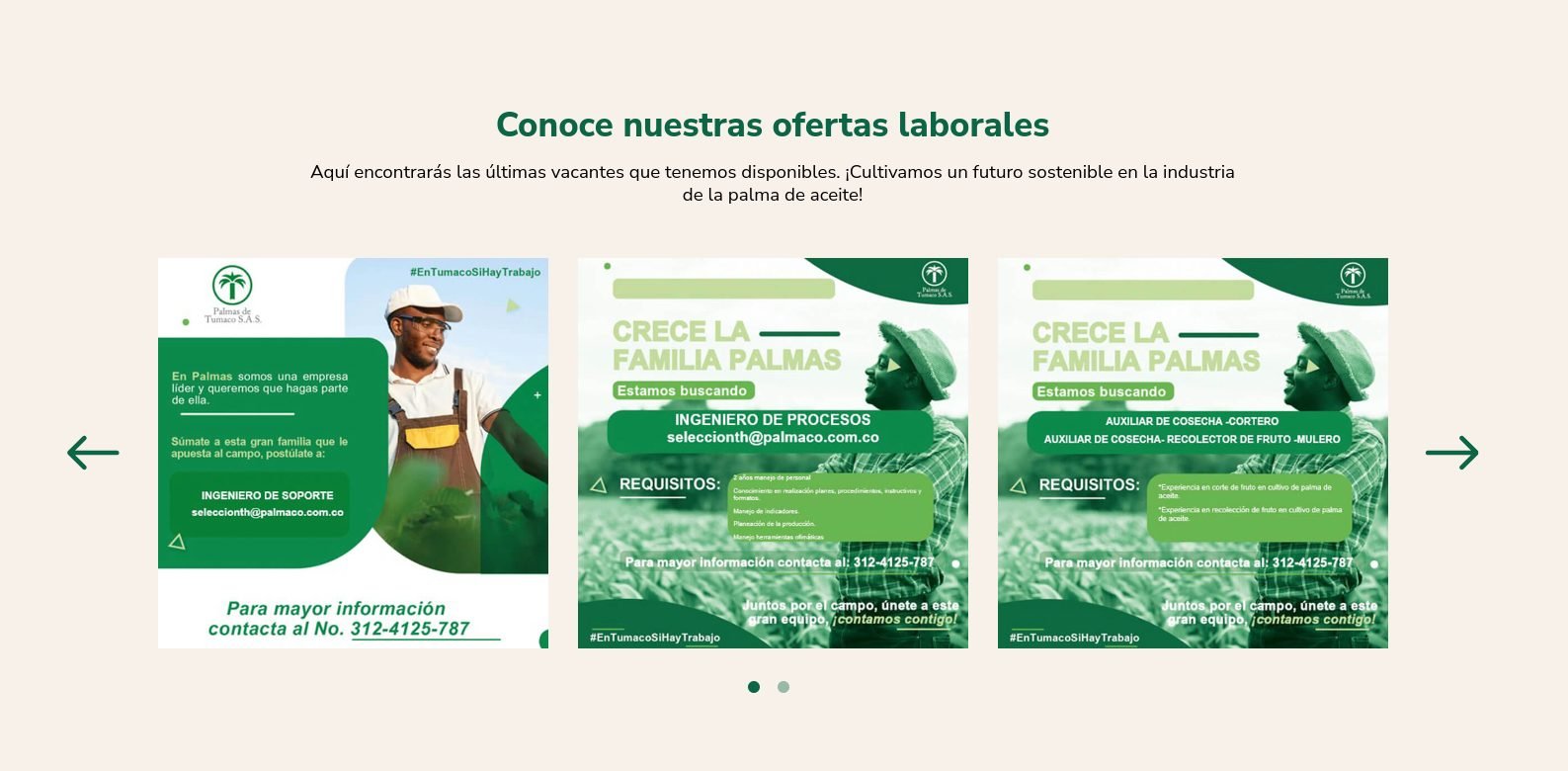
Este componente nos permite mostrar un grupo de imágenes de forma elegante, por medio de un carousel(Carrusel)
Galería Carrusel
gallery_carousel
(Block)
Body
body
Texto/Texto (con formato, largo, con resumen)
Imágenes (# ilimitado)
field_images
Referencia/Multimedia/Imagen
Subtítulo
field_subtitle
Texto/Texto (sin formato)
Variación de color
field_color_variation
Texto/Lista (de texto)
block--gallery-carousel.html.twig
Twig
templates/blocks/
Block
{#
/**
* @file
* Theme override to display a block.
*
* Available variables:
* - plugin_id: The ID of the block implementation.
* - label: The configured label of the block if visible.
* - configuration: A list of the block's configuration values.
* - label: The configured label for the block.
* - label_display: The display settings for the label.
* - provider: The module or other provider that provided this block plugin.
* - Block plugin specific settings will also be stored here.
* - in_preview: Whether the plugin is being rendered in preview mode.
* - content: The content of this block.
* - attributes: array of HTML attributes populated by modules, intended to
* be added to the main container tag of this template.
* - id: A valid HTML ID and guaranteed unique.
* - title_attributes: Same as attributes, except applied to the main title
* tag that appears in the template.
* - title_prefix: Additional output populated by modules, intended to be
* displayed in front of the main title tag that appears in the template.
* - title_suffix: Additional output populated by modules, intended to be
* displayed after the main title tag that appears in the template.
*
* @see template_preprocess_block()
*/
#}
{% set class_block = 'gallery-carousel' %}

{%
set classes = [
'block',
'block-' ~ configuration.provider|clean_class,
'block-' ~ plugin_id|clean_class,
'section-padding transition-scroll',
class_block,
]
%}

{% block content %}
{% set body = content.body[0] %}
{% set subtitle = content.field_subtitle %}
{% set field_icon_cards = content.field_icon_cards %}
{% set color_variation = content.field_color_variation['#items'].value %}
{% set is_left = '1' in content.field_is_left_aligned['#items'].value %}


{% if color_variation %}
  {% set class_variation = class_block ~ "--bg-" ~ color_variation %}
  {% if color_variation != 'white' and color_variation != 'alabaster' and color_variation != 'yellow' and color_variation != 'clean' %}
    {% set class_variation = class_variation ~ " co-white" %}
  {% endif %}
{% endif %}

<section{{ attributes.addClass(classes, class_variation) }}>
  <div class="container">
    {{ title_prefix }}
      {% if label %}
      <header class="{{class_block}}__header d-flex flex-column ealign-items-center mb-3 mb-lg-5">
        <h2 class="{{class_block}}__title text-center mb-3" {{ title_attributes }}>{{ label }}</h2>
        {% if subtitle %}
        <h3 class="{{class_block}}__subtitle text-center d-flex justify-content-center">
          {{subtitle}}
        </h3>
        {% endif %}
        <div class="{{class_block}}__body text-center">
          {% if body %}
            {{body}}
          {% endif %}
        </div>
      </header>
      {% endif %}
    {{ title_suffix }}
  </div>

  <div class="position-relative container-xxl">
    <div class="{{class_block}}__items js-{{class_block}} container">
      {% set card_items = content.field_images['#items'] %}
      {% if card_items %}
        {% for key, item in card_items %}
          {% set card_item = item.entity %}
          {% set image_url = file_url(card_item.field_media_image.entity.uri.value) %}
          {% set image_alt = card_item.field_media_image.alt %}

          <div class="card {{class_block}}-card px-3">
            <article class="card__wrapper {{class_block}}-card__wrapper">
              {% if image_url %}
              <figure class="card__image {{class_block}}-card__image m-0">
                <img src="{{image_url}}" alt="{{image_alt}}" class="w-100"/>
              </figure>
              {% endif %}
            </article>
          </div>
        {% endfor %}
      {% endif %}
    </div>
    <div class="{{class_block}}__carousel-arrows carousel-arrows">
      <span class="js_gn_carousel__prev_arrow carousel-arrows__prev">
        <svg class="carousel-arrows__arrow arrow-left" xmlns="http://www.w3.org/2000/svg" viewBox="0 0 58 38" fill="none">
          <path d="M54 21.5C55.3807 21.5 56.5 20.3807 56.5 19C56.5 17.6193 55.3807 16.5 54 16.5L54 21.5ZM1.23223 17.2322C0.25592 18.2085 0.25592 19.7915 1.23223 20.7678L17.1421 36.6777C18.1184 37.654 19.7014 37.654 20.6777 36.6777C21.654 35.7014 21.654 34.1184 20.6777 33.1421L6.53553 19L20.6777 4.85787C21.654 3.88156 21.654 2.29864 20.6777 1.32233C19.7014 0.346023 18.1184 0.346023 17.1421 1.32233L1.23223 17.2322ZM54 16.5L3 16.5L3 21.5L54 21.5L54 16.5Z"/>
        </svg>
      </span>
      <span class="js_gn_carousel__next_arrow carousel-arrows__next">
        <svg class="carousel-arrows__arrow arrow-right" viewBox="0 0 58 38" fill="none" xmlns="http://www.w3.org/2000/svg">
          <path id="Vector 1" d="M3 16.5C1.61929 16.5 0.5 17.6193 0.5 19C0.5 20.3807 1.61929 21.5 3 21.5V16.5ZM57.2678 20.7678C58.2441 19.7915 58.2441 18.2085 57.2678 17.2322L41.3579 1.32233C40.3816 0.34602 38.7986 0.34602 37.8223 1.32233C36.846 2.29864 36.846 3.88155 37.8223 4.85786L51.9645 19L37.8223 33.1421C36.846 34.1184 36.846 35.7014 37.8223 36.6777C38.7986 37.654 40.3816 37.654 41.3579 36.6777L57.2678 20.7678ZM3 21.5H55.5V16.5H3V21.5Z"/>
          </svg>
      </span>
    </div>
    <div class="{{class_block}}__carousel-dots carousel-dots js_gn_carousel_controls">
      <div class="posts-carousel__pagination__dots js_gn_carousel__dots"></div>
    </div>
  </div>

</section>
{% endblock %}
gallery-carousel.js
JavaScript
frontend/js/components/
Logic Frontend
import { GnCarousel } from '../libraries/slick'
import { responsiveSliderNumL, BREAKPOINTS } from "../libraries/utils";

const numbersSlider = responsiveSliderNumL(3);

const SELECTORS = {
  component: '.js-gallery-carousel'
}

const OPTIONS = {
  arrows: true,
  dots: false,
  mobileFirst: true,
  infinite: true,
  touchMove:true,
  speed: 400,
  slidesToScroll: numbersSlider.xs,
  slidesToShow: numbersSlider.xs,
  variableHeight: true,
  pauseOnHover: false,
  responsive: [
    {
      breakpoint: BREAKPOINTS.get('s'),
      settings: {
        dots: true,
        slidesToScroll: numbersSlider.s,
        slidesToShow: numbersSlider.s,
      }
    },
    {
      breakpoint: BREAKPOINTS.get('m'),
      settings: {
        dots: true,
        slidesToScroll: numbersSlider.m,
        slidesToShow: numbersSlider.m,
      }
    },
    {
      breakpoint: BREAKPOINTS.get('l'),
      settings: {
        dots: true,
        slidesToScroll: numbersSlider.l,
        slidesToShow: numbersSlider.l,
      }
    },
  ]
}

const sliderInstance = [...document.querySelectorAll(SELECTORS.component)]

if (sliderInstance) {
  sliderInstance.forEach(slider => {
    const parent = slider.parentElement
    const slickInstance = new GnCarousel(slider, OPTIONS, parent)

    slickInstance.initCarousel()
  })
}

En el presente Instructivo se mostrará el...

En el siguiente artículo hay algunos links de...